G_Flat & G_Sharp: Free Black & White Presets (No Hospital Visit Required)

G_Flat & G_Sharp: Free Black & White Presets

(No Hospital Visit Required)

Right, so I spent the last week comparing a £7,000 Leica Monochrom to a £2,000 Nikon Zf to see if I wasted five thousand pounds.

Spoiler: The Monochrom is better. Obviously. But the Zf gets surprisingly close.

And during this absolutely sensible process—which definitely didn't result in multiple injuries and a newfound fear of crossing roads—I made some tools.

G_Flat and G_Sharp.

Musical pun intended. You're welcome.


What Are These?

Two black-and-white presets designed to mimic my Leica Monochrom workflow. Available in two formats:

For Nikon users: Picture Control files (.NCP) that work on any modern Nikon camera—Zf, Z6, Z7, Z8, Z9, whatever. Load them into your camera, shoot JPEG, done.

For everyone else: Lightroom presets (.XMP) that work on any RAW file from any camera. Import, apply, tweak to taste.

Both do the same thing, just in different ways.
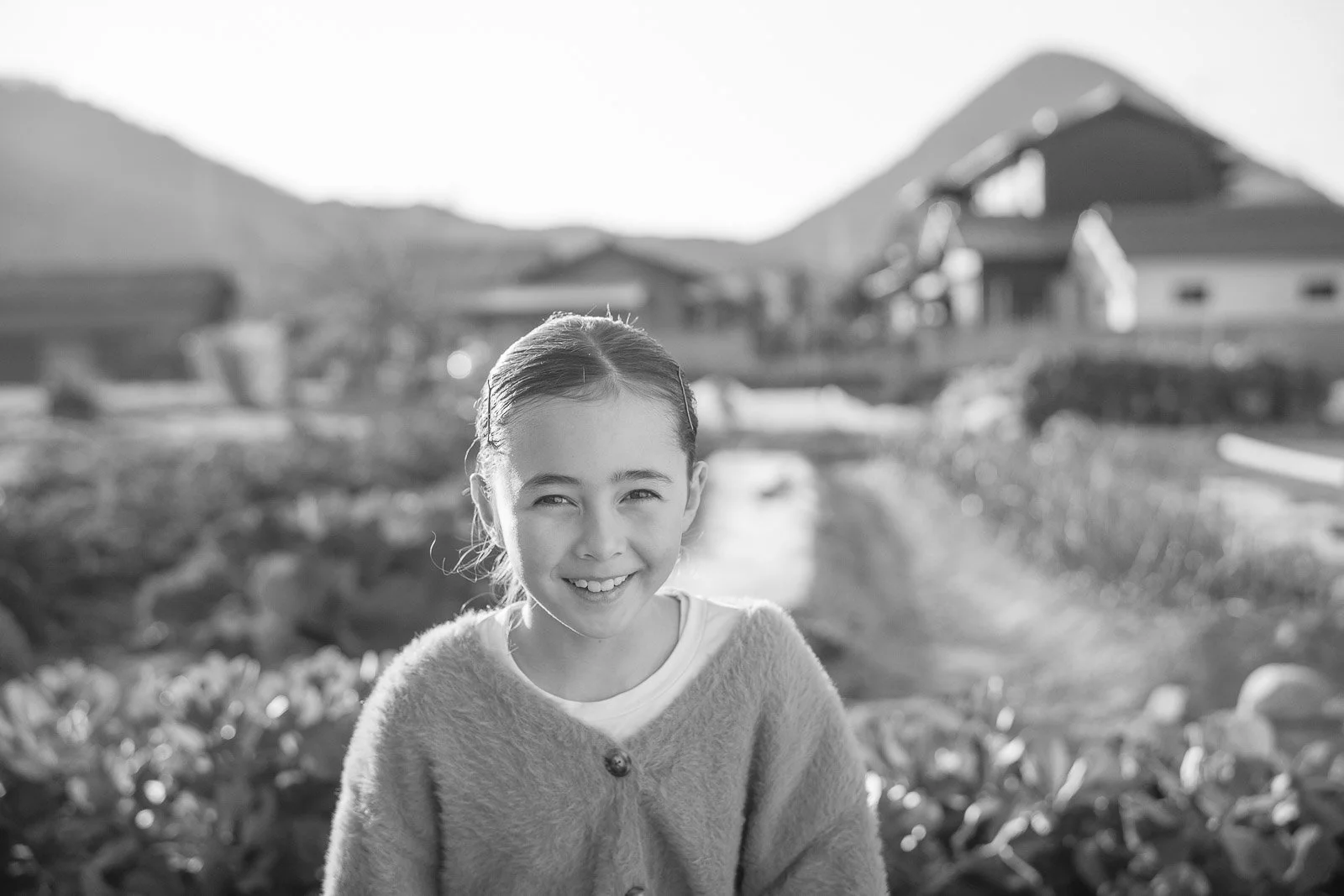

G_Flat

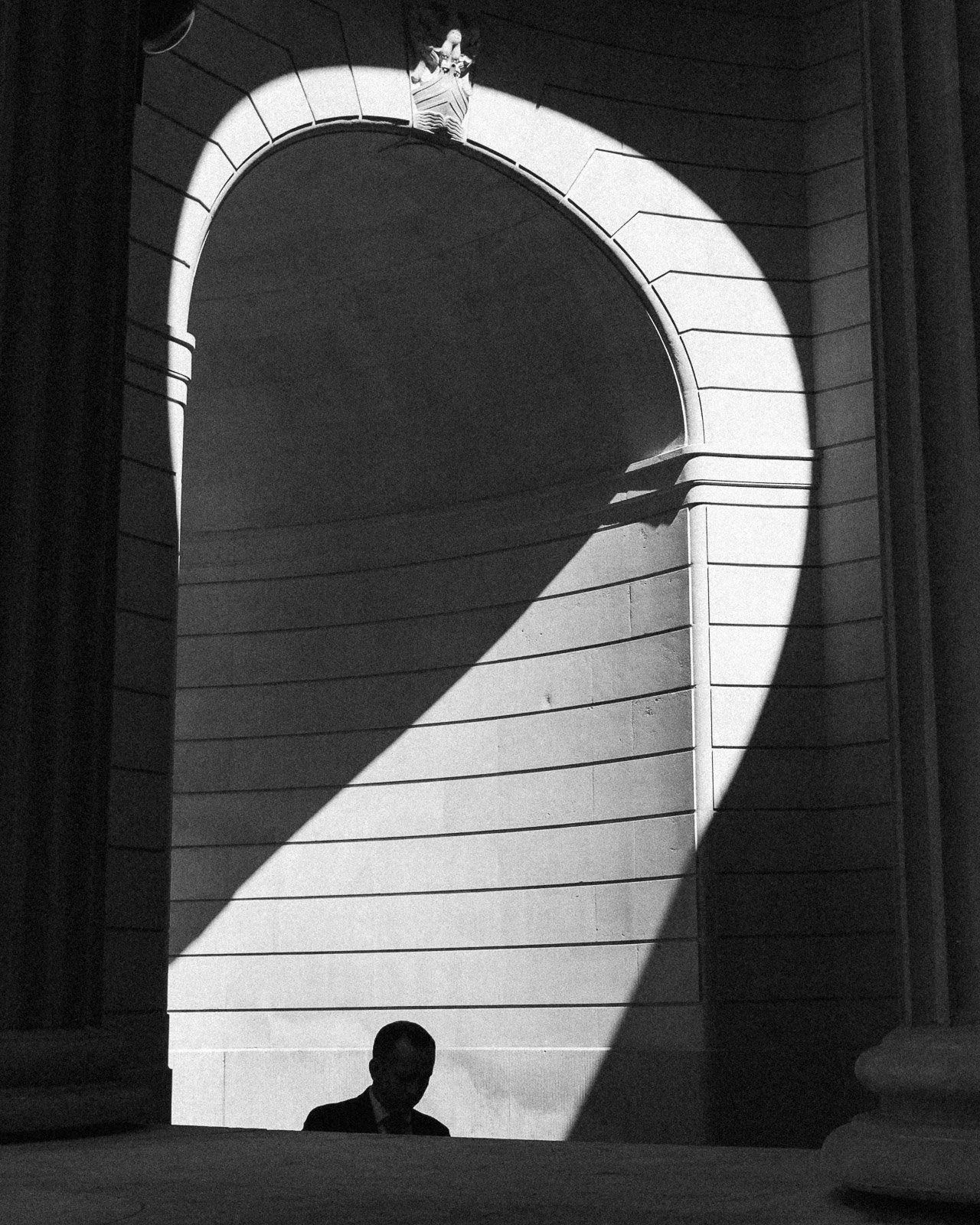
Low contrast. Flat tones.

This mimics the look of films like Ilford Delta 3200, without he grain, obviously. All the information is there, nothing's clipped, you have room to push or pull.
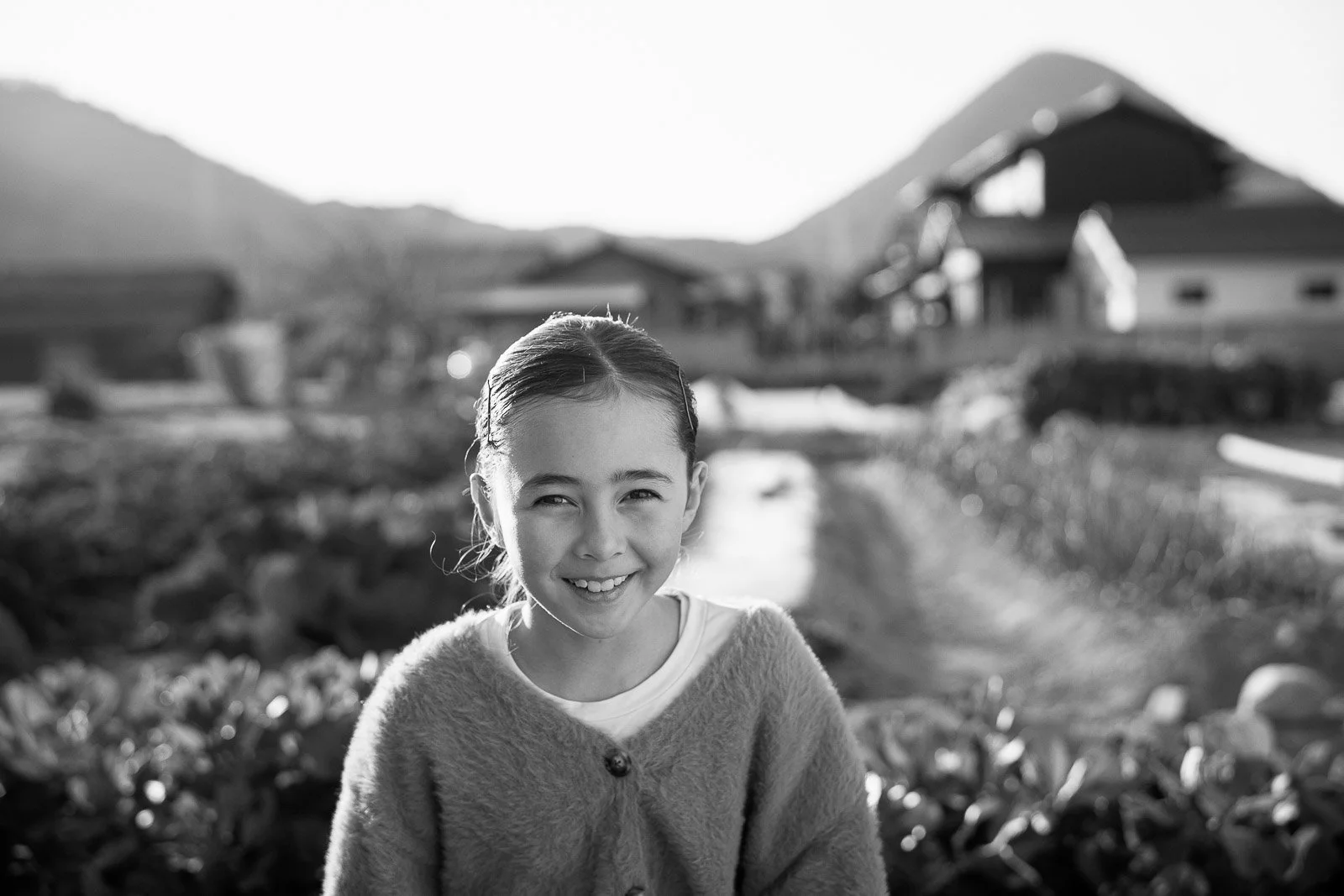

G_Sharp

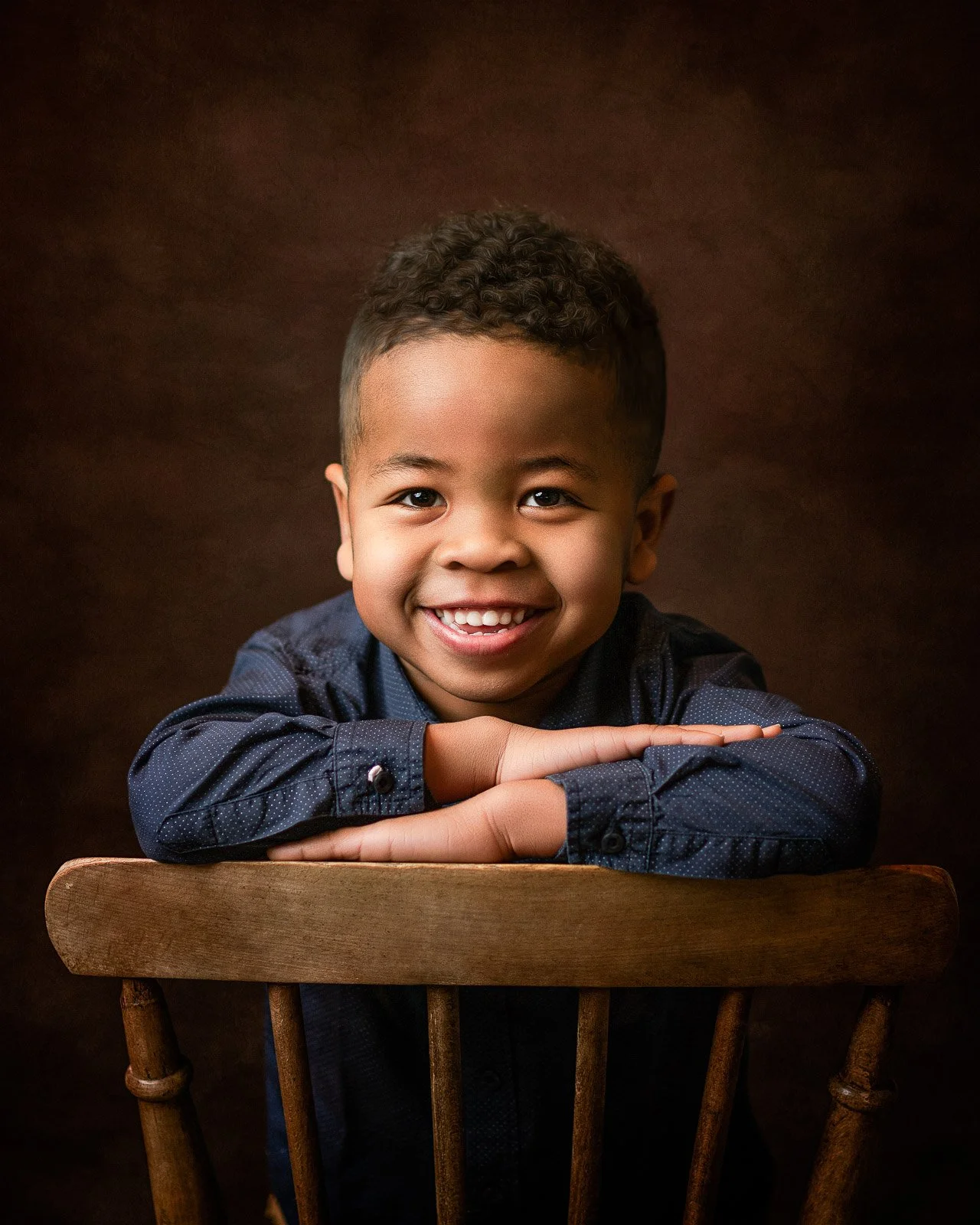
Contrasty. Punchy.

This is closer to something you would get with Kodak Tri-X. More blacks, more whites, more dimension.


Will These Make My Camera Into a Monochrom?

No.

Physics doesn't work that way. A monochrome sensor is fundamentally different from a color sensor with digital conversion.

But these will get you closer to that look than your camera's default black-and-white processing.

They're starting points. Tweak to taste. Tell me if I'm full of shit.


Installation Instructions

Nikon Picture Control Files (.NP3): See the included `NIKON_INSTALL.txt` file. It's three steps. You'll be fine.

Lightroom Presets (.XMP): See the included `LIGHTROOM_INSTALL.txt` file. Also three steps. Also fine.

If you somehow manage to break something, that's impressive and you should email me about it.


The Catch

There isn't one. They're free.

I'm not gatekeeping film emulations behind a paywall. I'm not making you sign up for a course. They're just... here. Use them. Don't use them. I don't care.

If you find them useful and want to support the work, there's ways to do that below. If not, no hard feelings. Just maybe share this with someone who's considering spending £5,000 on a camera that only shoots black and white.

Save them from themselves.


Download

⬇️ [DOWNLOAD G_FLAT & G_SHARP - Nikon Picture Control Files + Lightroom Presets] ⬇️

Included in the ZIP:

- G_Flat.NCP (Nikon Picture Control)

- G_Sharp.NCP (Nikon Picture Control)

- G_Flat.XMP (Lightroom Preset)

- G_Sharp.XMP (Lightroom Preset)

- NIKON_INSTALL.txt (Installation instructions)

- LIGHTROOM_INSTALL.txt (Installation instructions)

- README.txt (This information, offline)


Support the Work

If you found this useful:

[Buy me a coffee] - Helps fund future questionable decisions

📧 [Join the newsletter] - Monthly photo essays, free tools, occasional rants

🖼️ [Buy a print] - Physical evidence of my failures

🎥 [Watch the video] - See how I injured myself making this comparison

Or just share this page. That works too.


Questions?

Q: Do these work on [insert camera brand]?

A: Nikon Picture Control files only work on Nikon cameras. Lightroom presets work on RAW files from any camera.

Q: Can I modify these?

A: Yes. They're starting points. Make them yours.

Q: Can I share these?

A: Yes, but link back to this page rather than rehosting the files. Keeps everything in one place.

Q: Why G_Flat and G_Sharp?

A: Musical notation. G♭ and G♯. Also my initials. I'm very clever. Obviously.

Q: Will you make more presets?

A: Probably. I'm working on a full fledged Lightroom Plug-In. Coming in a few months. That one won't be free, but these will stay free forever.

Q: Did you actually injure yourself making the comparison video?

A: Watch the video and decide for yourself. But yes. Obviously yes.


Credits

Presets developed using files from:

- Leica M246 Monochrom (my usual workflow)

- Nikon Zf (surprisingly good black and white mode)

- Several hospitalizations (regrettable but educational)

Tested on:

- Nikon Zf, Z6, Z7

- Lightroom Classic CC 2024+

- Various cameras I borrowed and returned with only minor damage


Right, go download them. Go shoot black and white. Stop buying gear you don't need.

And for the love of god, look both ways before crossing the road.

— Greg

Last updated: January 2026

No cameras were harmed in the making of these presets. Several bones, however...

Ilford HP5 Plus Lightroom Preset for Nikon Zf (and Friends)

Because your therapy bills weren’t high enough already.

Congratulations. You’ve stumbled upon the HP5+ preset — Ilford’s most beloved offering to anyone convinced that sadness is a valid creative vision. The real film comes with grain, contrast, and just enough melancholy to make your subjects question their life choices. This digital version? Well… it comes with sliders.

Designed for Nikon’s 24MP lineup (Zf, Z6, Z5, Zfc, and whatever other Z you panic-bought during lockdown), this preset delivers two key promises:

  • Your photos will look like they’ve been marinating in regret since 1989.

  • You’ll finally have a reason to post that blurry street shot of a bin bag and call it “commentary.”

Download it, apply it, and then tell yourself the crushed shadows are “moody.” We won’t tell anyone you just missed the exposure.

👉 Download the preset
💸 Like it? Buy me a coffee so I can keep fuelling the caffeine-induced bad decisions that lead to presets like this.

📦 What You’re Getting

This pack includes:

  • Z24 – HP5+ – Gutter Press – Perfect for photographing a lone pigeon and insisting it’s about late-stage capitalism.

  • Z24 – HP5+ – Bleak Chic – Because nothing says “I love you” like making someone look like a Bergman extra.

  • Z24 – HP5+ – Crisis Contrast – Shadows deeper than your self-esteem and whites bright enough to fry an eyeball.

All three come in one tidy .zip. Unpack, load into Lightroom, and pretend you’re the Ansel Adams of existential despair.

T‑MAX Lightroom Preset for Nikon Zf (and Friends)

Because your photos weren’t mediocre enough already.

Congratulations. You’ve found the T‑MAX preset — Kodak’s gift to anyone who thought their perfectly serviceable digital files just weren’t lifeless enough. This preset has it all: subtle grain you’ll pretend to appreciate, bland contrast that whispers “Instagram influencer in denial,” and the uncanny ability to make even your most colorful shots look like they were taken during a minor existential crisis.

Designed for Nikon’s 24MP lineup (Zf, Z6, Z5, Zfc, and whatever else you’re hoarding), this preset guarantees two things:

  1. Your mum will still pity‑like your photos.

  2. You’ll convince yourself that desaturation equals art.

Download it, apply it, and then tell yourself it looks “filmic.” Deep down you’ll know better.

👉 Download the preset
💸 Like it? Buy me a coffee so I can keep the caffeine flowing and the sliders sliding.

📦 What You’re Getting

This pack includes:

  • Z24 – TMax – Edge Line – Because photographing lamposts is ART.

  • Z24 – TMax – Backlit Bloom – Pretend it’s magic.

  • Z24 – TMax – Studio Clean – If you can afford a soft box..

All three come in one .zip file. Unpack, load in Lightroom, and pretend you understand tonal range.

Capturing the Fire: Photographing the Shiozuka Highlands Grassland Burning

Every year, the Shiozuka Highlands in Shikoku are set ablaze—not by accident, but as part of a controlled burning tradition. This event transforms the landscape into a dramatic scene of fire, smoke, and deep color contrasts, making it a fascinating subject for photography. This year, I set out to document the experience, adapting my approach as the event unfolded.

Expectations vs. Reality

Going in, I had envisioned a landscape-focused shoot, expecting to take my time composing wide, cinematic shots. I planned for late-evening photography, anticipating deep blues in the sky complementing the fire’s glow. However, the entire event wrapped up much faster than expected, finishing around 6:30 PM. While I missed the deep evening tones, the smoke filtered the sunlight beautifully, creating a manageable dynamic range and a strong contrast between cyan and orange hues.

The experience turned out to be more of an event shoot than a landscape session, with fast-paced movement and unpredictable elements. The fire spread quickly, and people were scattered across the fields, making long exposures impractical. Instead, I found myself reacting in real-time, adjusting settings, and moving fast to capture fleeting moments.

Gear & Adaptability

One of my biggest takeaways? Versatility matters more than perfection. I originally intended to rely on a wide-angle zoom but ended up using a 180mm prime for half the event, simply because there wasn’t time to swap lenses. Later, I switched to a 28-105mm, still on manual focus, as I had only brought one adapter. Shooting with manual focus in a high-paced setting added another layer of difficulty, but in the end, I still managed to capture some strong images.

To compensate for the fast action, I opted for higher ISOs and faster shutter speeds over absolute image quality. It was the right call—sharp, well-timed images trump noise-free but blurred shots.

If I were to do it again, I’d bring a superzoom like a 28-200mm or even a 28-400mm. This event wasn’t about the highest possible image quality—it was about adaptability, and a flexible focal range would have helped immensely.

Key Takeaways for Future Shoots

  1. Arriving early isn’t crucial for shooting, but it helps with parking. The best spots fill up fast, and the nearest alternative parking requires a one-hour trek.

  2. A tripod setup won’t guarantee the best shots. The fire’s unpredictable movement and shifting crowds mean handheld shooting (or a monopod) is often the better choice.

  3. Think in terms of a photo set, not just a single hero shot. Unlike traditional landscape photography, where one perfect frame might stand out, event photography is about telling a story across multiple images. In this case, the images work best as a sequence rather than individual masterpieces.

Final Thoughts & Full Gallery

Despite the unexpected challenges, the shoot was a success. High shutter speed images and slow-motion video worked out best, capturing the intensity of the flames and smoke in motion. The experience was a great reminder that plans are just a starting point—true creativity comes from adapting in the moment.

If you’re planning to photograph an event like this, I hope this breakdown helps you make the most of it!